Lifecycles, gates and conditions
Case lifecycle management: stages, gates and the conditions a case must clear
Miji is an enterprise decision automation platform, and lifecycles are how it manages a case from arrival to close rather than one decision at a time. A lifecycle is the stages a case moves through, the arrows between them, and gates on the arrows. A gate holds the case until every condition it needs is cleared or waived and its own criteria pass — with the evidence, the checks, the letters and every exception on the case.
Lending is the first use: a loan approved with conditions waits at prior-to-documents and prior-to-funding until each one is met. The platform calls them requirements, and the same objects serve a claim, an onboarding or a compliance review.
In short
- Lifecycles of stages and gates, above the workflows that run at each stage.
- Versioned condition templates: who a condition is for, what proves it, who may clear it, what the customer reads.
- The rule for when a condition is needed lives on its placement at a gate, not on the template.
- Evidence from a portal, email, text message, staff upload or connector, through one intake pipeline.
- Letters made from a gate's list, approved before they are sent; every clear, waiver and exception audited.
Why decisions need a lifecycle
Many decisions are not one moment. A loan is approved with conditions, then waits for documents, then for funding. A claim is accepted, then needs evidence, then payment. Each step has things that must be true before the case may move on, and those things change from case to case.
Without a lifecycle, that state lives in spreadsheets, inboxes and people's heads: which conditions are open, who is waiting on whom, which waiver was granted and why. Miji models it directly, so the case itself says where it is, what it is waiting for, and what it held when it moved.
Gates on the arrows between stages
A lifecycle is the life of a loan above its workflows: stages, the arrows between them, and gates on the arrows. Drop a gate on an arrow in the designer, then drop condition templates on the gate. Each placement carries its own rule, so photo ID is always needed at PTD and at PTF only for a remote closing, and a bank statement only when the down payment comes from savings.
A gate opens when every blocking condition it holds is cleared or waived and its own criteria on the loan pass. Exceptions are granted by the roles you name, always with a reason and optionally a second approver, and the case records each gate it passed with the list it held at the time.
- The rule lives on the placement, not the template, so one template can sit at several gates with a different rule at each.
- A condition is made once per need and held by every gate that needs it; two runs, or a run and a person, never make two.
- Simulate a case through the lifecycle before publishing a version, gates included.
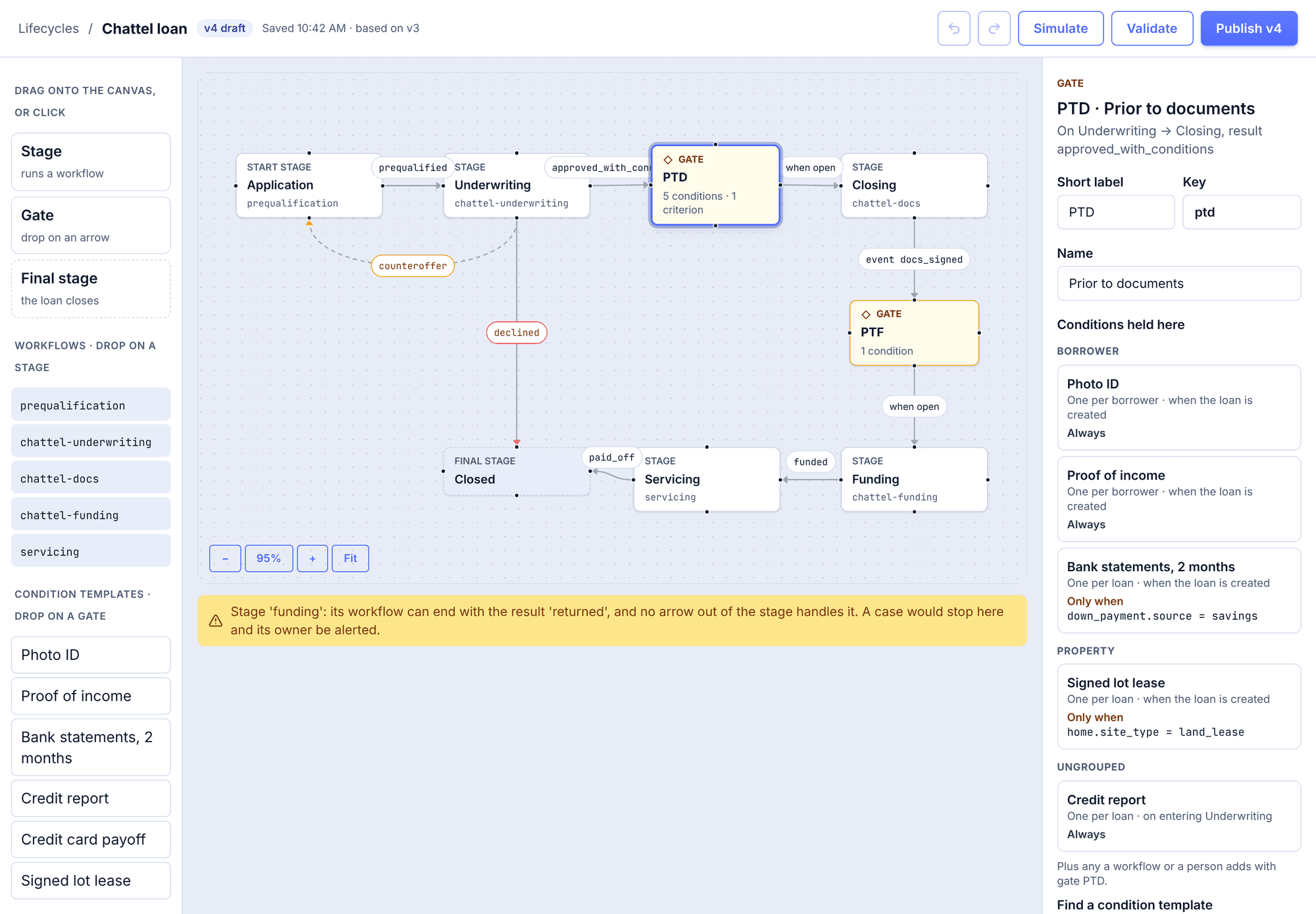
Captured from the running product: the lifecycle designer for a chattel loan with the PTD gate selected.
Condition templates: one versioned definition per condition
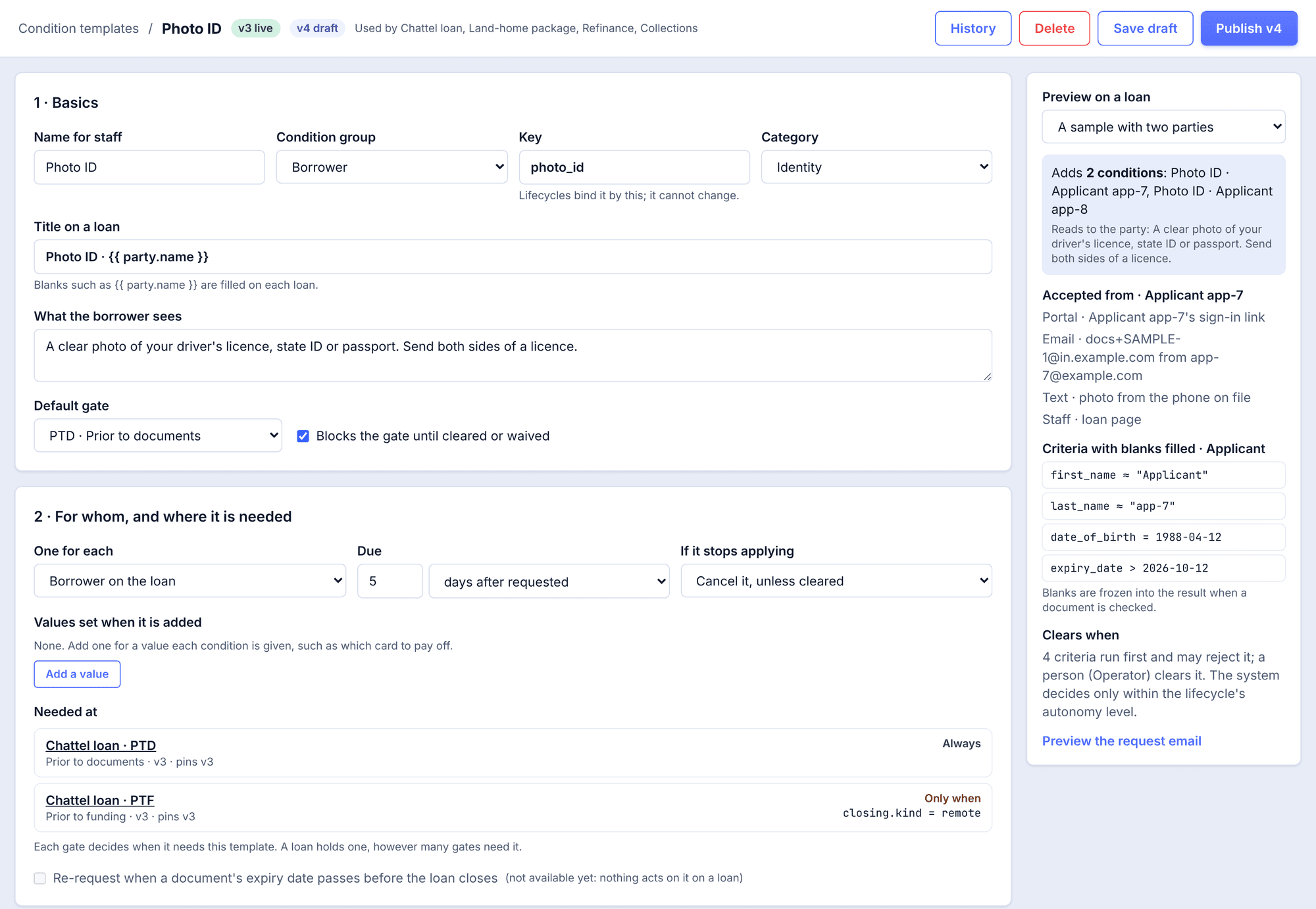
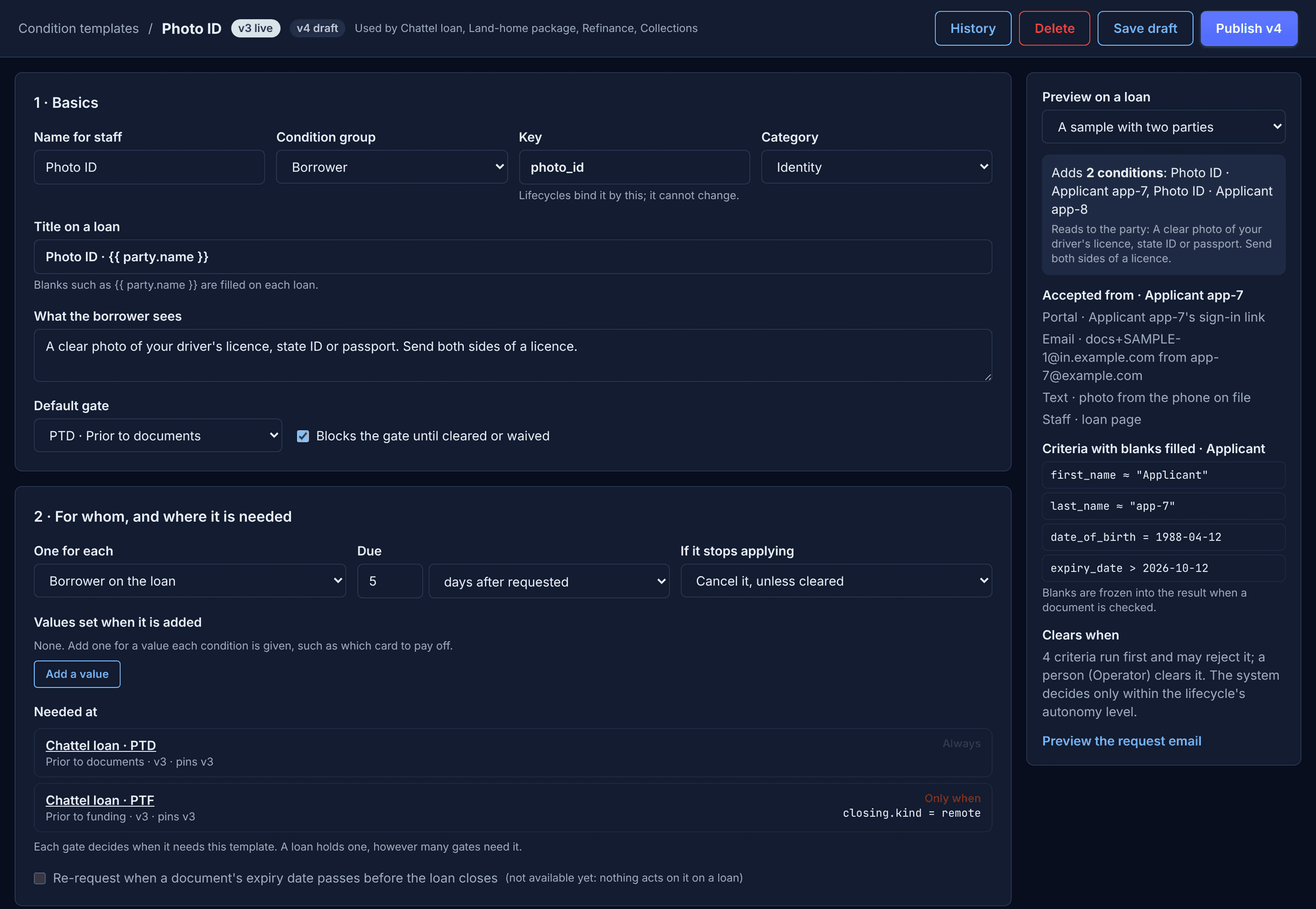
A condition is not a line of text. The template says who it is for (one per borrower, per loan, or per item), what evidence proves it and where that evidence may come from (the borrower's portal, email, a text message, a staff upload, a connector pull), how it is checked, when it is due, who may clear or waive it, and the exact words the borrower reads.
Templates are versioned and published like rules. The editor previews the template on a sample loan, shows every lifecycle and gate that places it with the rule at each, and lets you try the checks on the checks engine before you publish.
- Checks read values from the evidence and compare them with the case; proof is automatic only within the lifecycle's autonomy level, otherwise a person clears it.
- Values set when a condition is added (which card to pay off) are typed and formatted in the borrower's wording.
- Templates ship in packages with the lifecycles that use them.
Working the conditions on the case
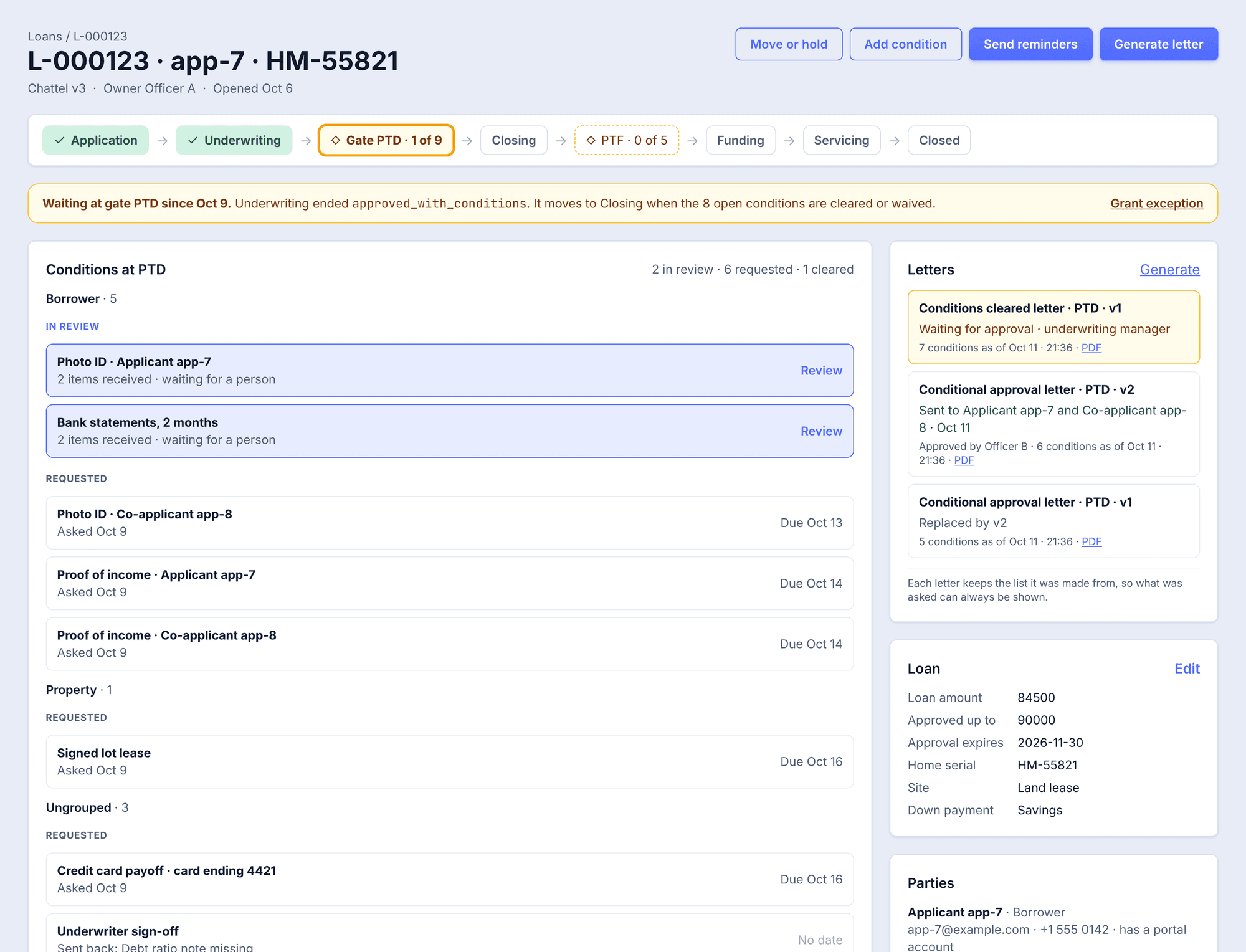
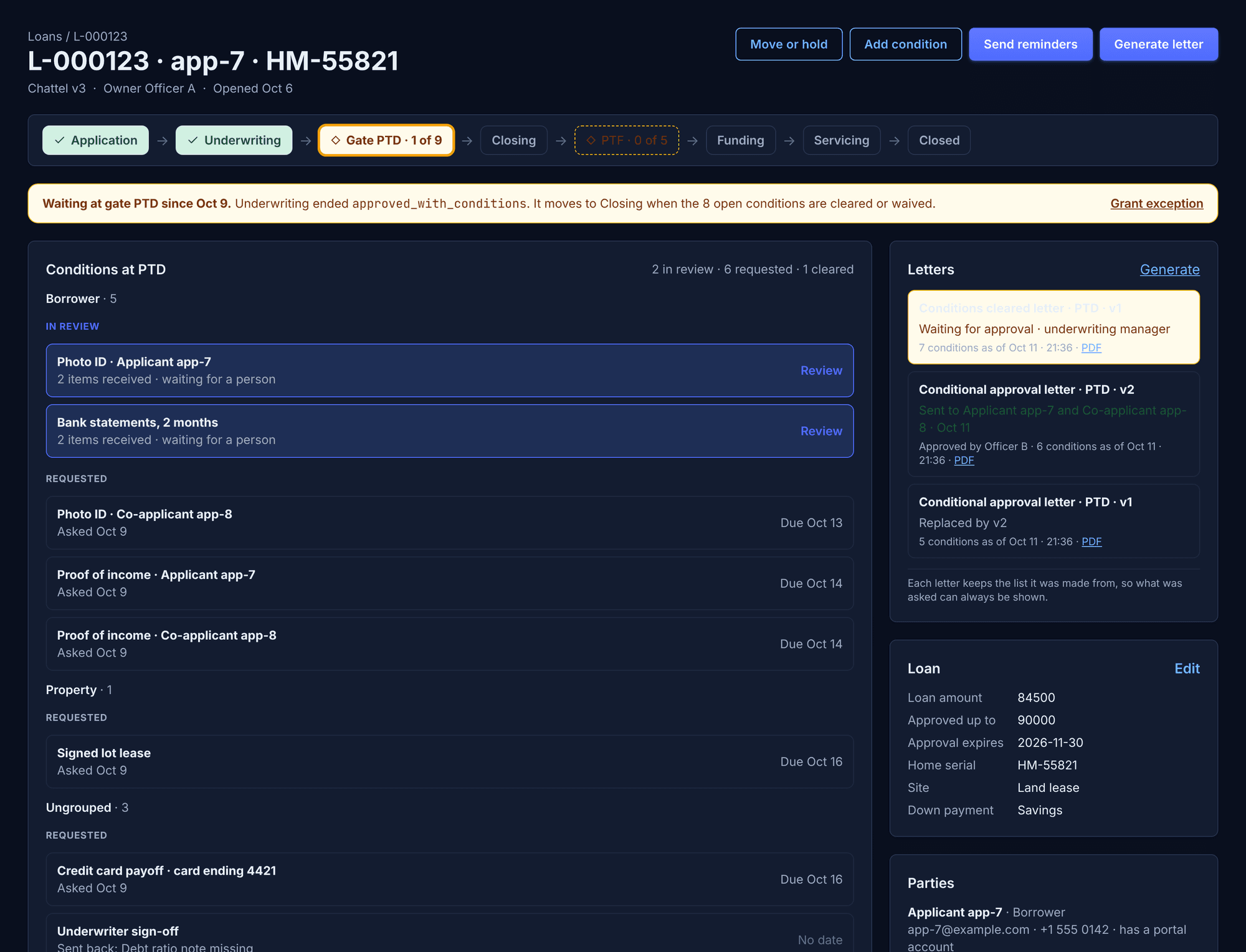
The loan page reads across the stage bar to the gate the case is waiting at and says why. Conditions are grouped by who they are for, with what has been received, what is in review and what is still requested. Borrowers send evidence from a phone through their own link; staff review it in a workbench that shows each check against what was expected.
Letters are made from the gate's list at that moment, the conditional approval letter in underwriting and the conditions-cleared letter after PTD, approved before they are sent and kept on the case with the list they were made from. Reminders, due dates and expiry run on the case sweep.
- Evidence enters through one intake pipeline whatever the channel, and a document finds its applicant by what it says.
- Every clear, waiver, exception and letter is on the audit trail with who did it.
- A workflow step can list a gate's conditions, so a letter template loops over the real list.
How lifecycles, workflows and rules fit together
| Object | What it is | Example |
|---|---|---|
| Lifecycle | The versioned stages a case moves through, with gates on the arrows. | Application → Underwriting → PTD → Closing → Funded |
| Stage | Where a case is now. A stage may run one workflow. | Underwriting runs the prequalification workflow |
| Gate | A checkpoint on an arrow, holding the conditions it needs. | PTD holds photo ID, bank statements and a signed lot lease |
| Condition (requirement) | What a case must have to pass a gate, made from a versioned template. | Two months of bank statements, only when the down payment comes from savings |
| Workflow | The deterministic steps that do the work at a stage. | Pull credit, calculate DTI, apply overlays, route to an underwriter |
| Rule | The versioned policy a workflow or gate placement evaluates. | Refer if DTI is above the product's limit |
Beyond lending
- Claims. Hold a claim before payment until the proof of loss, the photos and the adjuster's report are in.
- Customer and vendor onboarding. Hold an account before activation until identity, tax forms and the signed agreement are cleared.
- Compliance review. Hold a file before sign-off until each required check is evidenced, with every waiver and its reason on the record.
These use the same lifecycles, gates and requirement templates; lending is the one that ships configured today.
Bring your conditions list; we will show a case waiting at the gate it belongs to.
Book a demoFrequently asked questions
What is case lifecycle management?
Managing a case — a loan, a claim, an onboarding — across every stage of its life rather than one decision at a time: where it is, what it is waiting for, and what had to be true before it moved. In Miji a lifecycle is versioned stages with gates on the arrows between them, and each gate holds the conditions a case must clear or have waived.
How does Miji track loan conditions such as prior-to-docs and prior-to-funding?
Each condition is made from a versioned template and placed on a gate, such as PTD or PTF, with its own rule for when it is needed. The loan page shows the gate the loan is waiting at and every open condition; borrowers send evidence through their own link, staff review it against checks, and the gate opens when every blocking condition is cleared or waived.
Can a condition be waived?
Yes, by the roles you name, always with a reason and optionally with a second approver. Every clear, waiver and exception is on the audit trail with who did it, and the case records each gate it passed with the list it held at the time.
Can conditions be cleared automatically?
Checks read values from the evidence and compare them with the case. Proof is automatic only within the lifecycle's autonomy level; otherwise a person clears it.
Can I test a lifecycle before publishing it?
Yes. You can simulate a case through the lifecycle, gates included, before publishing a version.